Chat Service offers data centers in Singapore , North America, or Saudi Arabia to support your global business.
Choose a global data center based on your message transmission needs and compliance requirements.
This guide explains how to use NC’s data centers.
Create a global data center application
-
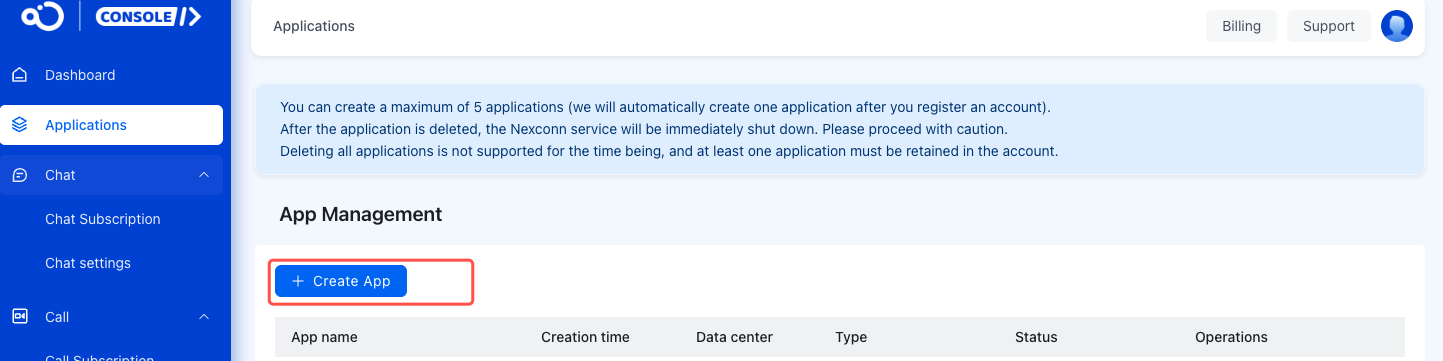
Go to the Applications page in the NC Console.
-
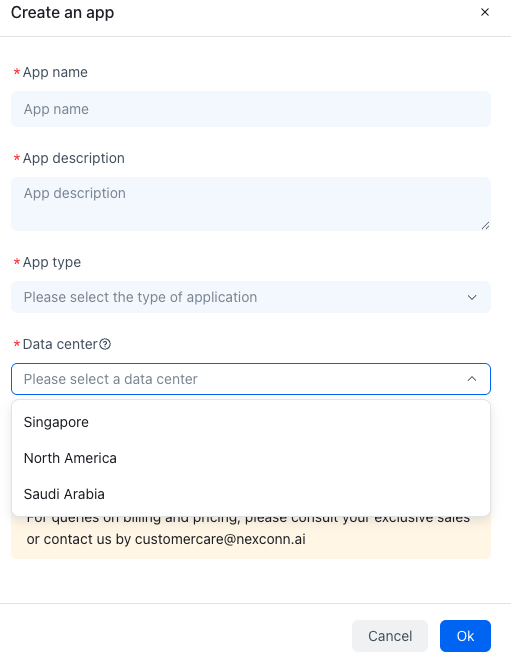
Click Create App. In the pop-up, select your data center.
-
In the Create an app dialog, enter your App Name, App Description, Application Type, Operation phase, and Data Center.
 Once created, the data center can’t be changed. Choose carefully. Currently, you can’t directly select Singapore , North America, or Saudi Arabia data centers. To use these, submit a ticket.
 Once created, the data center can’t be changed. Choose carefully. Currently, you can’t directly select Singapore , North America, or Saudi Arabia data centers. To use these, submit a
 Integrate client SDK with global data center
IM SDK works across all data centers. Choose the right SDK based on your business needs, tech stack, and scenarios.
Android: configure the data center
iOS:configure the data center
Web:configure the data center
Server: configure the data center