Member management
This page supports adding members (sub-accounts) and editing the usage permissions of members (sub-accounts).
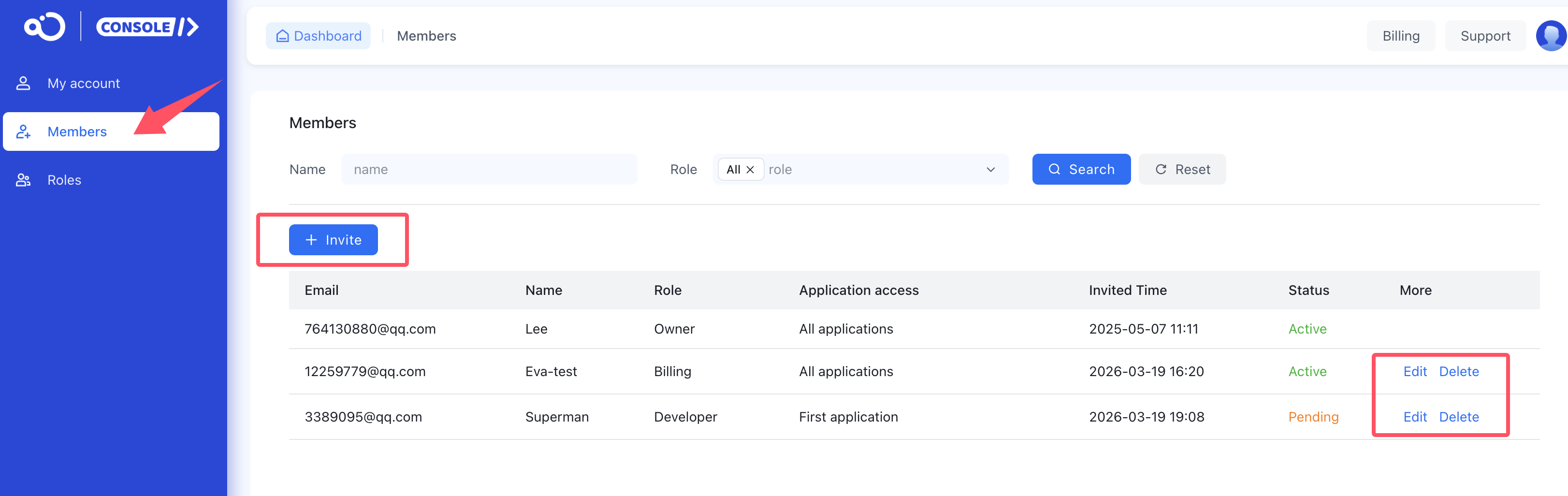
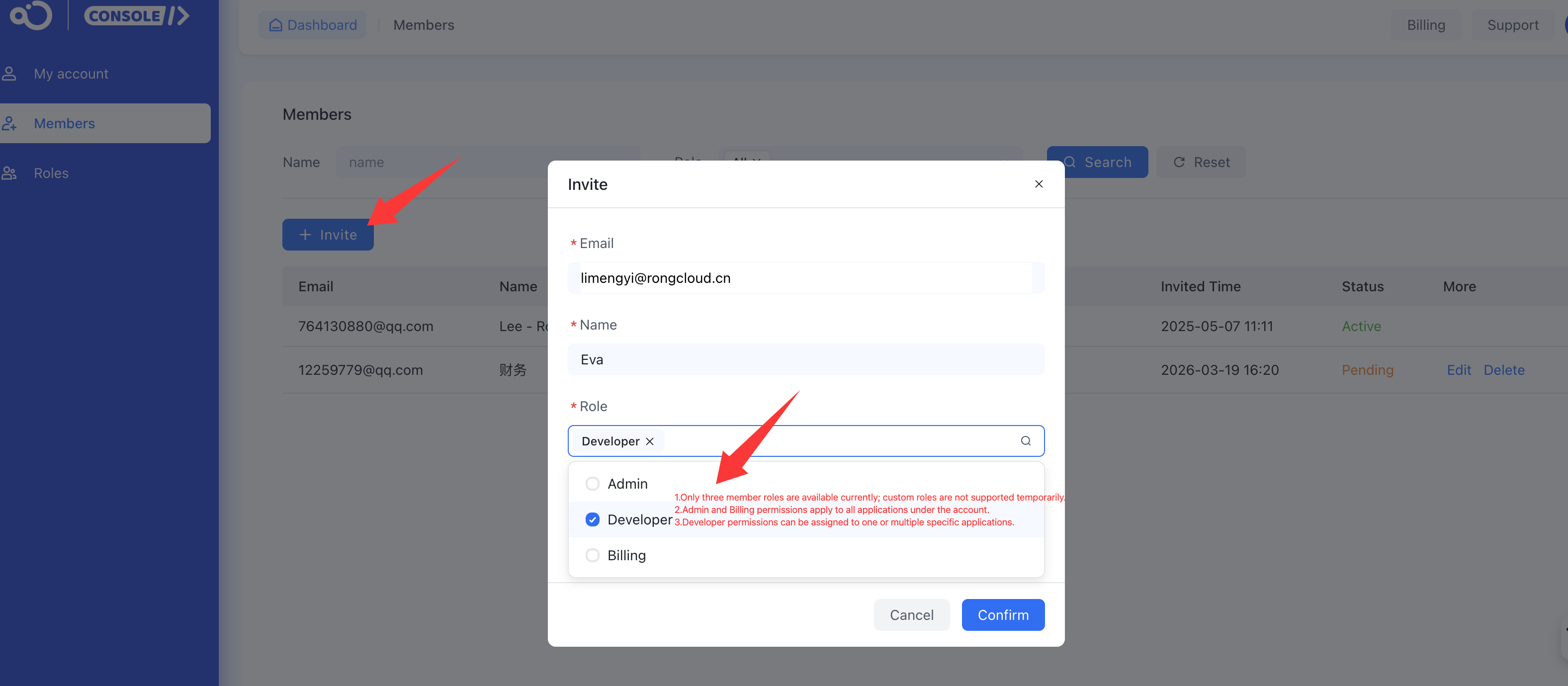
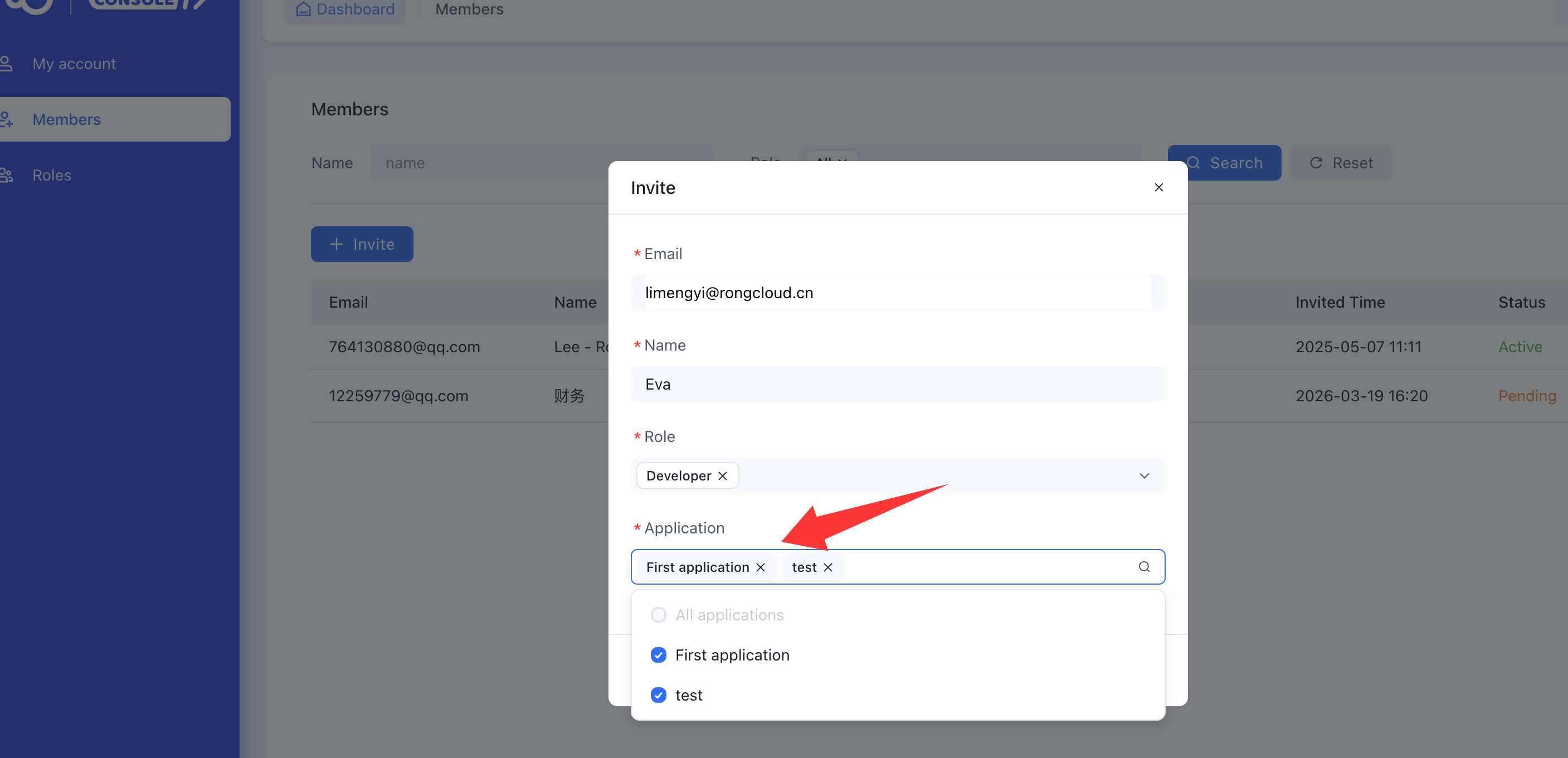
- When adding a member (sub-account), you must fill in Email (required), Name (required), Role (required, multi-select), and Application (required, multi-select).
- When adding an email, the email cannot be duplicated within the same organization, regardless of whether it is activated.
- When Organization A and Organization B simultaneously invite the same email (unregistered), if the email activates the invitation from Organization A, it can no longer activate the invitation from Organization B.
- When the invited member has not activated the invitation email, they can create other organizations themselves to become a primary account.

-
You can add up to 100 members (sub-accounts). The primary account is also displayed in this list.
-
There are currently three roles: Admin, Developer, and Billing. If you select the Admin or Billing role, the permissions apply to All applications under the account. If you select Developer, you can choose one or more applications under the account for the permissions to apply to.
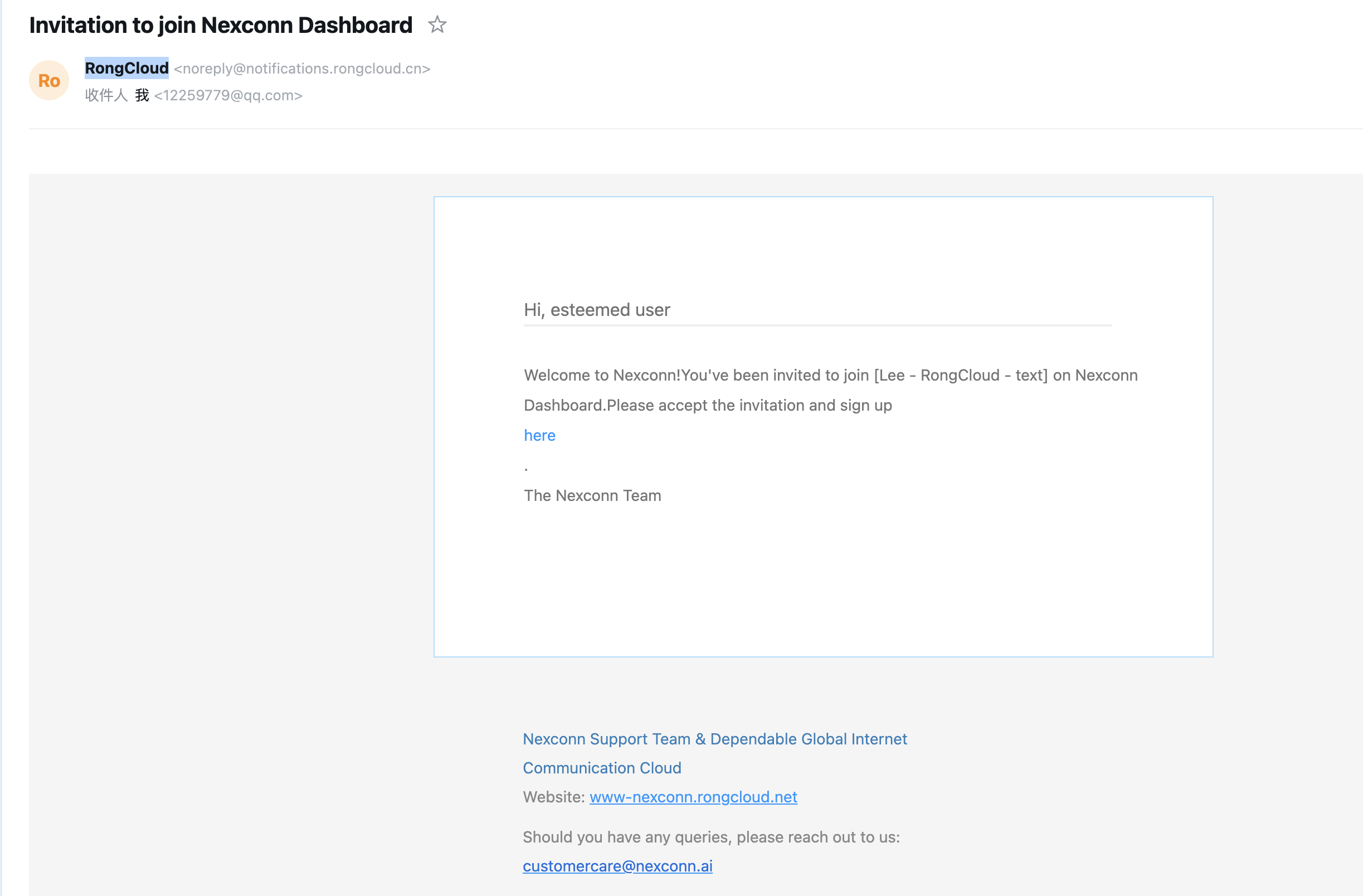
- After adding a member, the sub-account member receives an invitation email and must activate it within 48 hours. If it exceeds 48 hours, the primary account needs to resend the invitation.
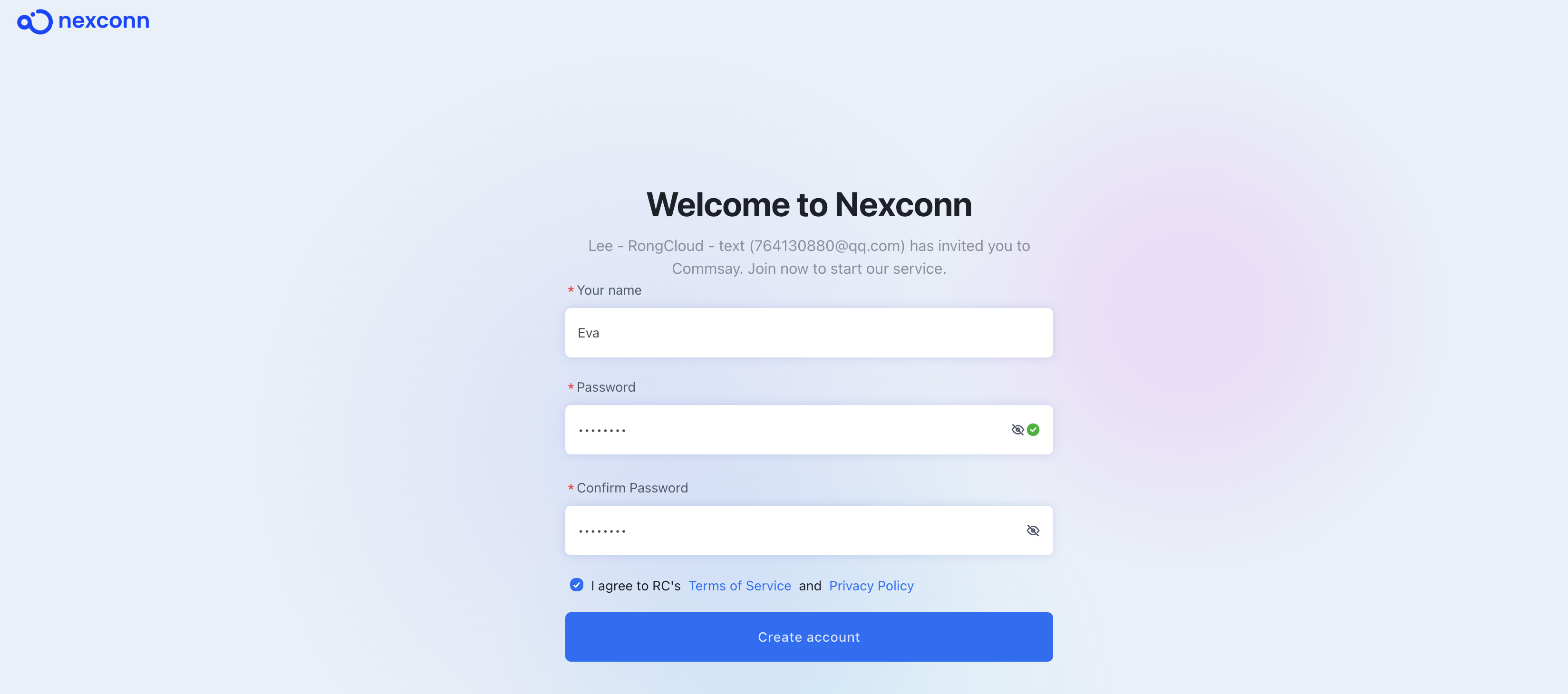
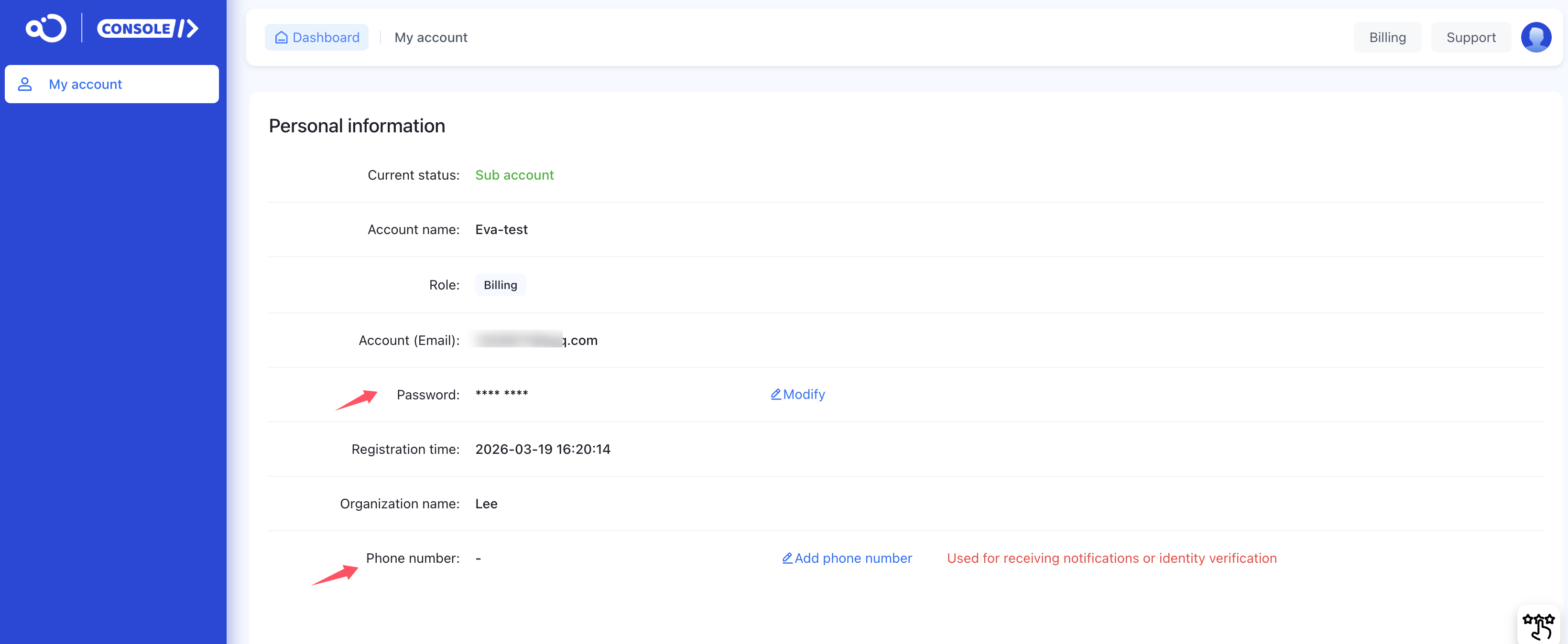
- Sub-account members can modify their password and add/modify their phone number on the account information page.
Role management
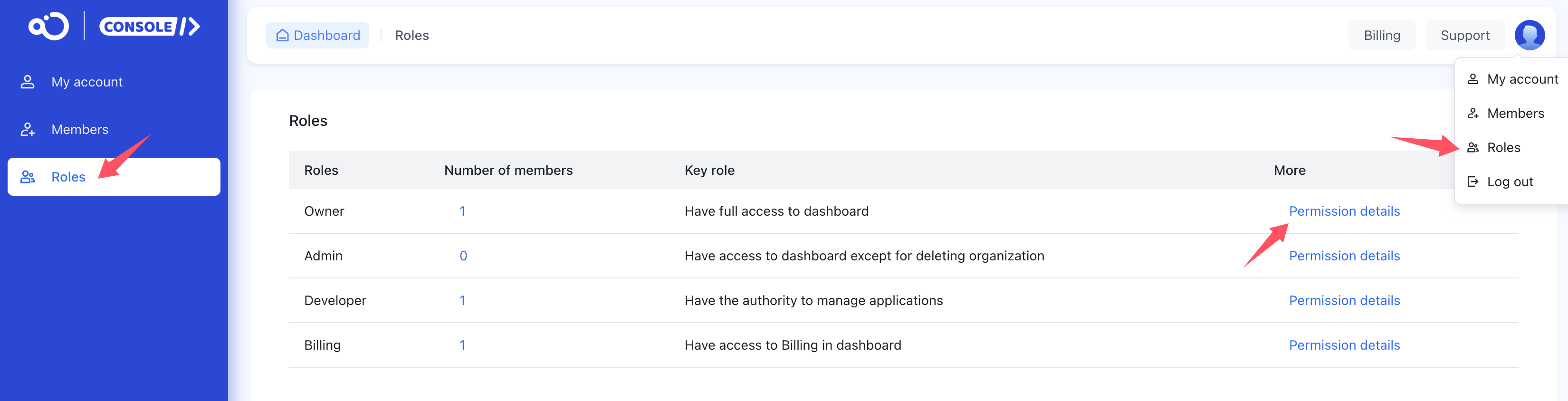
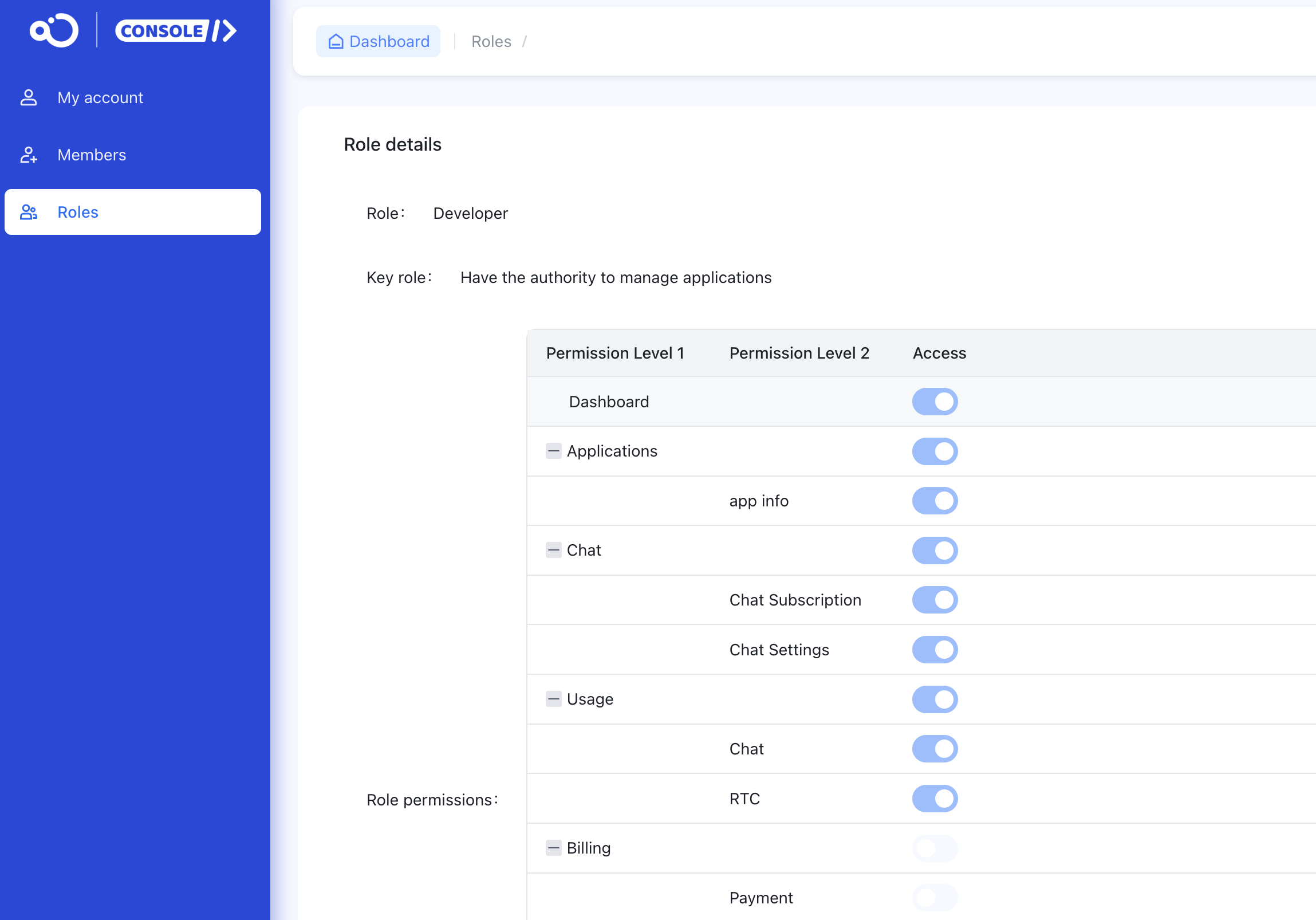
This page lists role permissions, role population statistics, and other information. Each role is predefined and currently does not support modification. You can click Permission details to see the specific permission content.
If you have any questions about this feature, submit a ticket to contact us.