Polaris-Chat Data Tracking mainly provides developers with end-user connection status and message delivery status features:
-
By viewing a user’s connection logs, you can determine whether the user could normally use Nexconn services during a specific time period. For example, if a user reports that a message failed to send, it might be because the user didn’t successfully connect to Nexconn during that time.
-
By viewing the status of the entire message sending process, you can analyze the reasons for not receiving messages, helping developers locate issues and improve problem-solving efficiency.
Connection Status
You can view a user’s connection status and message delivery status within the past 7 days. Full status data is available 5 minutes after the message is sent.
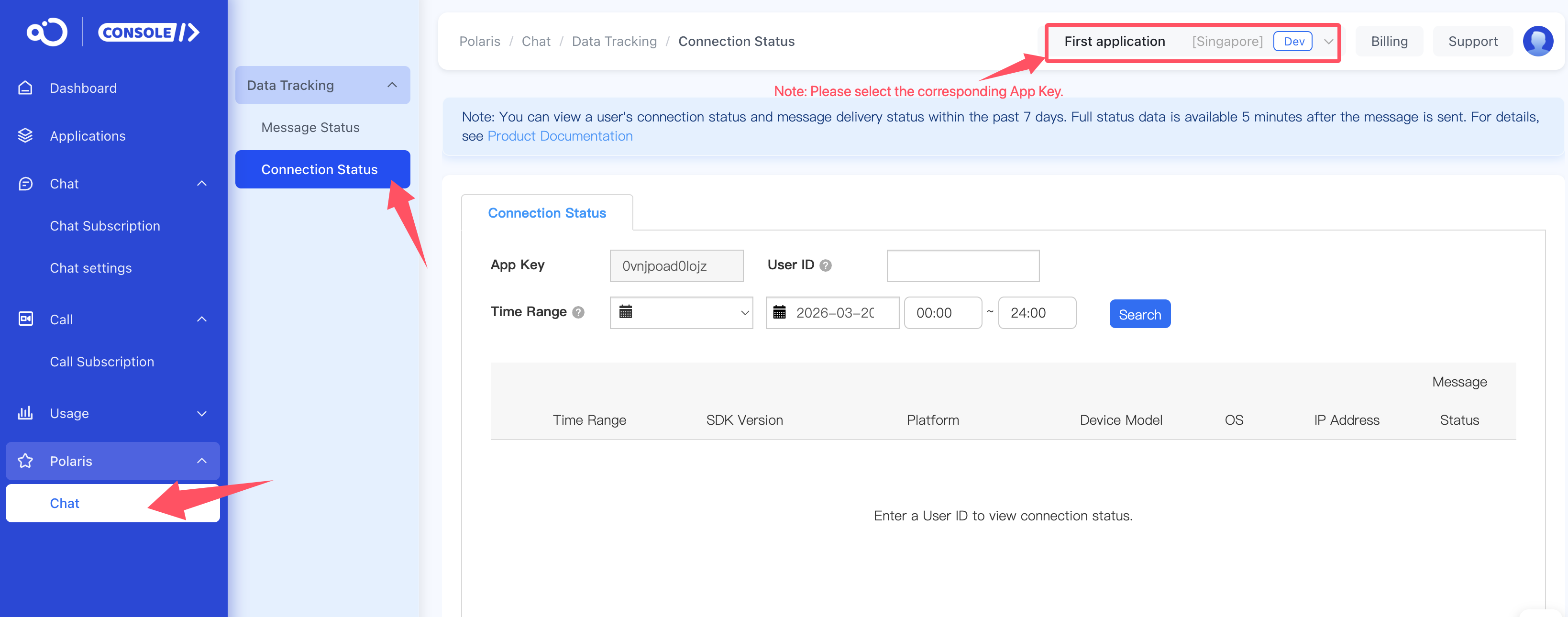
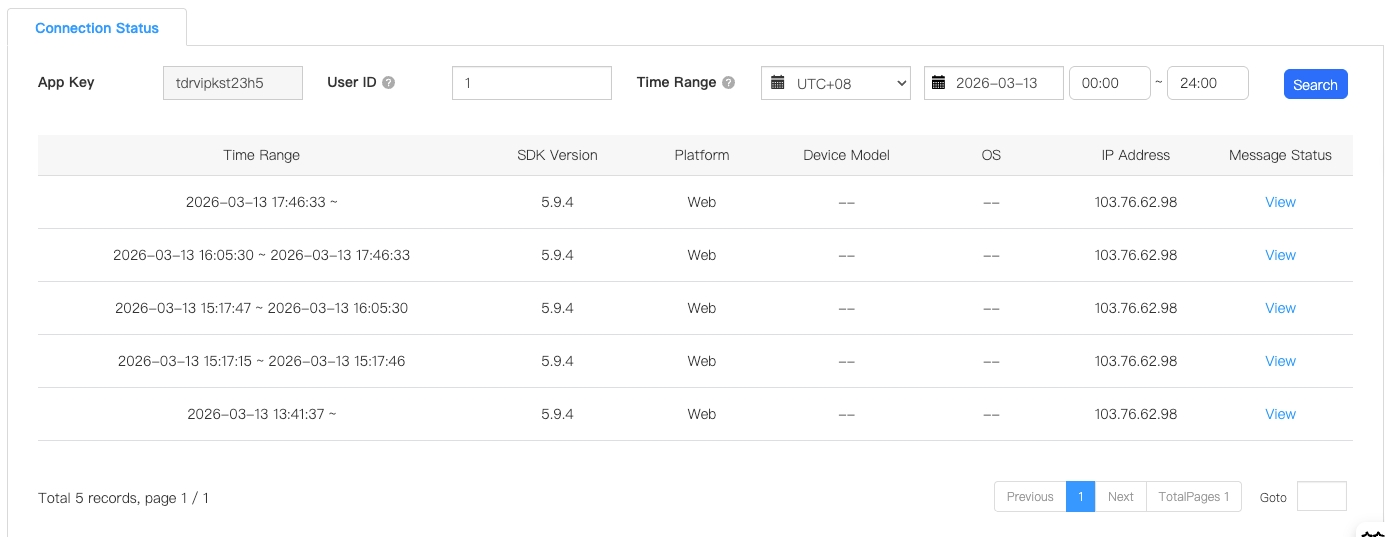
Connection status content
-
Displayed content includes: connection time range, SDK version used, platform, device model, system (Android API level; iOS system version number), and the IP address when the end user connected.
-
Message monitoring: Click View to display the user’s message sending status during that connection time period.
Message Status
Supports viewing the message sending status of a specified user within the past 7 days.
Currently supports viewing direct channel, group channel, open channel, and system channel types. The default is to view direct channel messages.

Query conditions
Supports querying sent messages based on the following conditions:
-
Sender user ID: The UserID that has obtained an access token from Nexconn. View all messages sent by this ID. This is required.
-
Message ID: The globally unique message identifier
msgUIDin Nexconn, which can be obtained through the Nexconn message routing service or server-side message history log service. This is optional. -
Target ID: Depending on the channel type, this corresponds to the direct channel user ID, group channel ID, or open channel ID.
-
Channel type: Supports viewing direct channel, group channel, open channel, and system channel messages.
-
Message type: Supports all Nexconn built-in messages and custom messages. When selecting a custom message in the message type, you must manually enter the
ObjectNameof the custom message to query. Only one custom message can be queried at a time. -
Message source: Includes Android, iOS, Web, and server API. Queries messages from all platforms by default.
-
Time range: The message sending time range. Defaults to displaying from midnight of the current day to the current time.
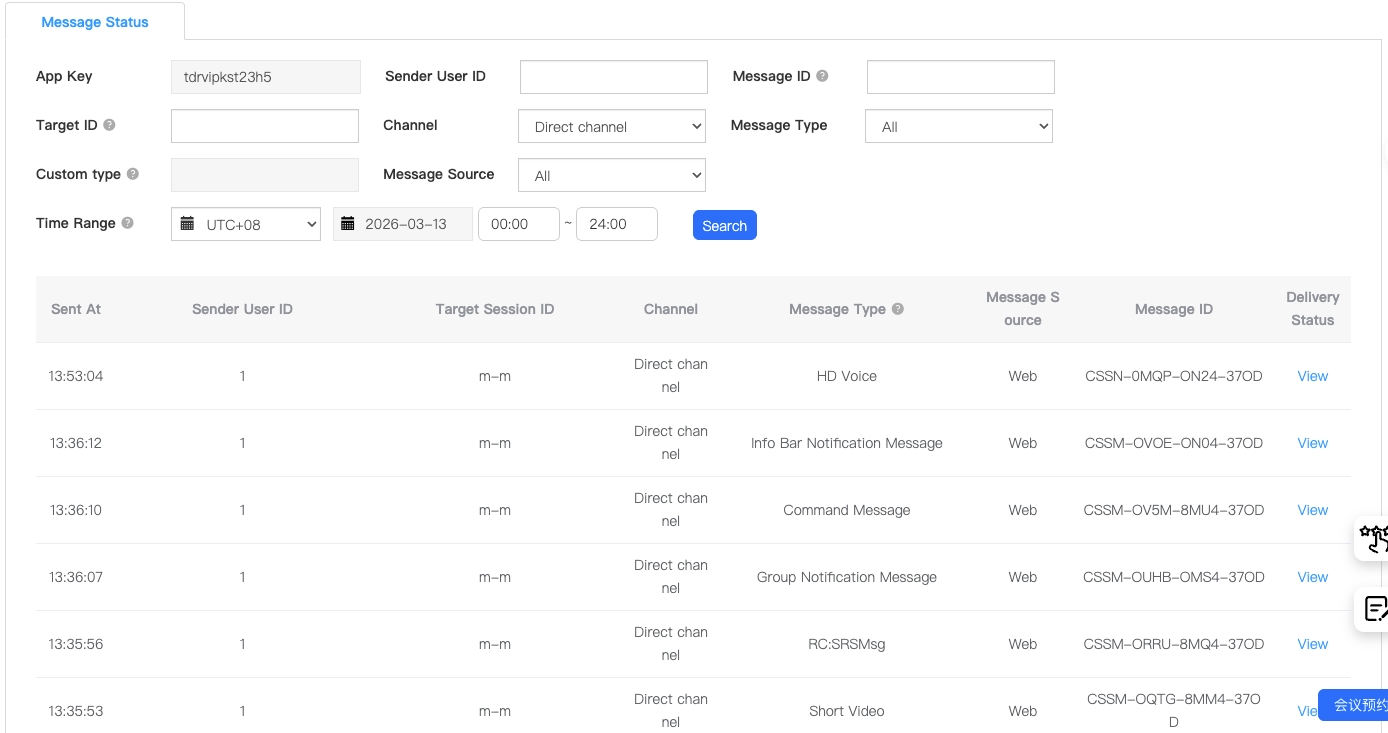
Sent messages list
-
Message ID: The globally unique identifier
msgUIDof the Nexconn message. -
Sender user ID: The sender user ID of the message.
-
Target channel ID: Depending on the channel type, this corresponds to the direct channel user ID, group channel ID, or system channel ID.
-
Send time: The time the message was sent on the Nexconn server.
-
Channel type: Direct channel, group channel, or system channel.
-
Message type: The message type of the current message, including custom messages (
ObjectName). -
Message source: Includes Android, iOS, Web, and server API.
-
Receive status: Click to view the target user’s receive status for that message.
Direct channel and group channel message receive status
View the target user’s receive status for a message, whether the message was sent successfully, profanity filter and blocklist filtering status, and the message push status when the target user is offline (for direct and group channels).
User receives message online, message sent successfully display
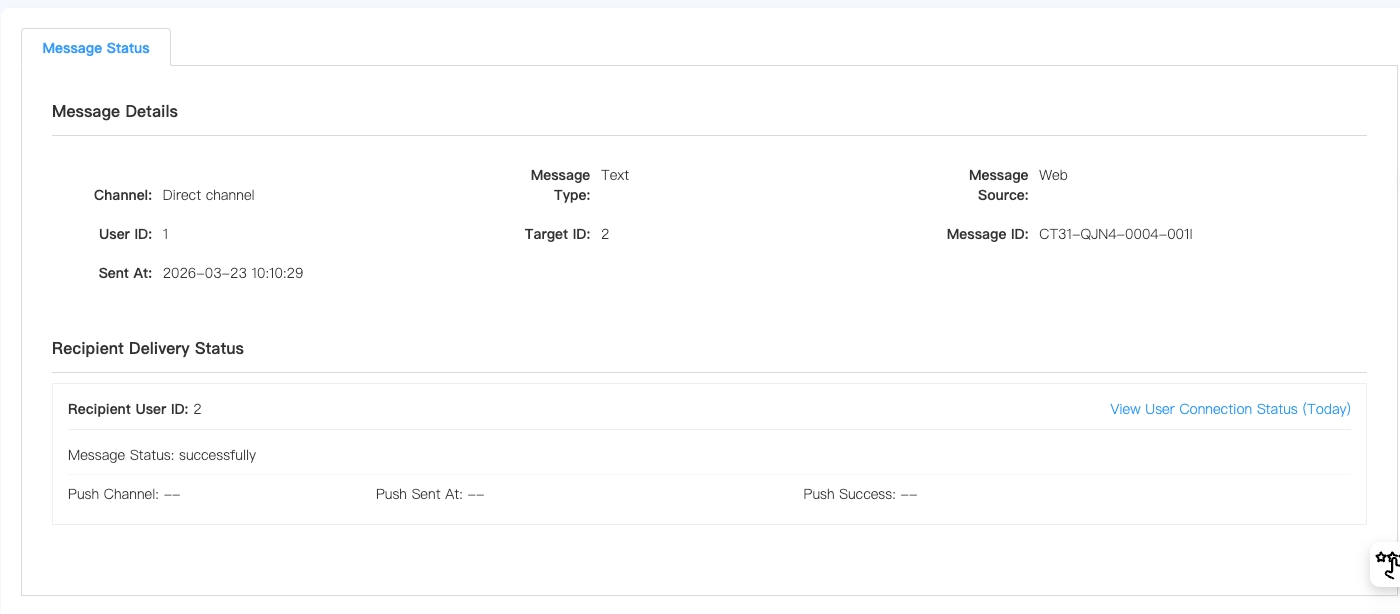
Message statuses include
-
Sent successfully: The target user received the message while online, displayed as sent successfully.
-
Message not delivered: When the target user has a large number of messages to receive, the Nexconn server notifies the target client that there are new messages to receive. If the target user disconnects due to network issues or actively logs out before fetching the new messages, it is displayed as message not delivered. Messages in this status will be retrieved again the next time the user logs in.
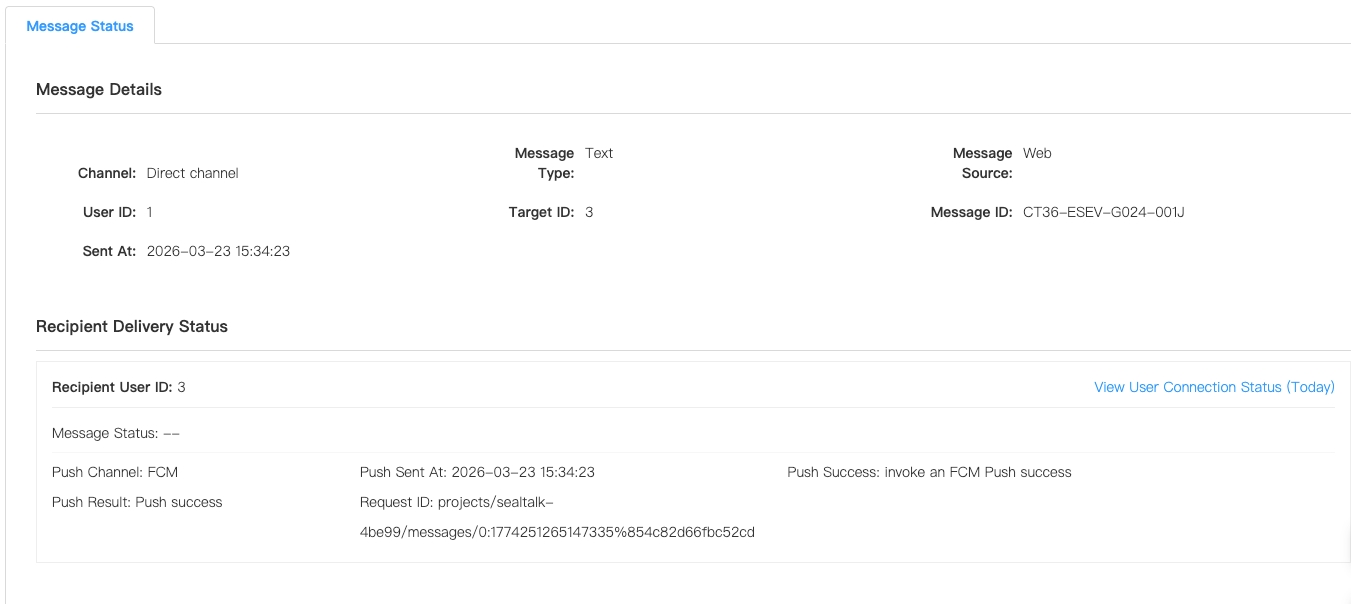
Converted to push notification when user is offline
-
Push provider: The type of provider used when sending the push notification, including: APNs, Huawei, FCM.
-
Push send time: The Nexconn server time when the message was converted to send a push notification.
-
Push successful: Success/Failure. When using a third-party push provider, the third-party push provider interface is called. After the third-party push service returns success, Nexconn defaults to push success.
-
Error description: After a push fails, an error code is returned. Developers can fix the error based on the error description or submit a ticket to contact Nexconn for processing.
Blocklist and allowlist filtering prompts
When using the Nexconn blocklist service, if the user sending the message is in the target user’s blocklist, the message fails to send. At this time, the message ID is empty, and the prompt is as follows:
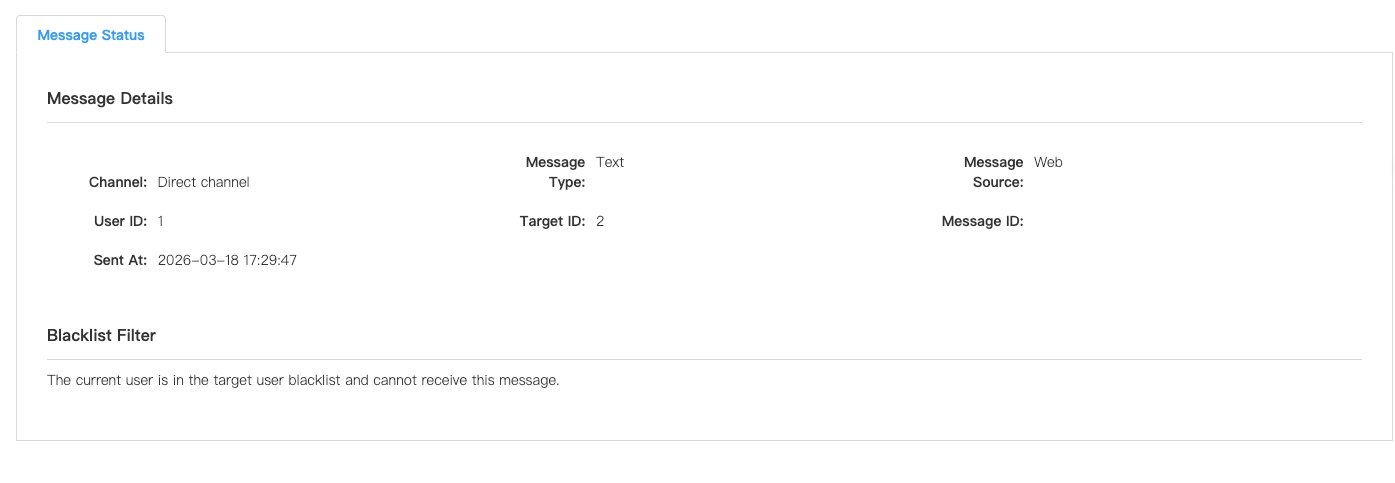
The allowlist service is the opposite of the blocklist service. If the allowlist service is used and the user sending the message is not in the target user’s allowlist, the message fails to send and the message ID is empty.
User muted prompts
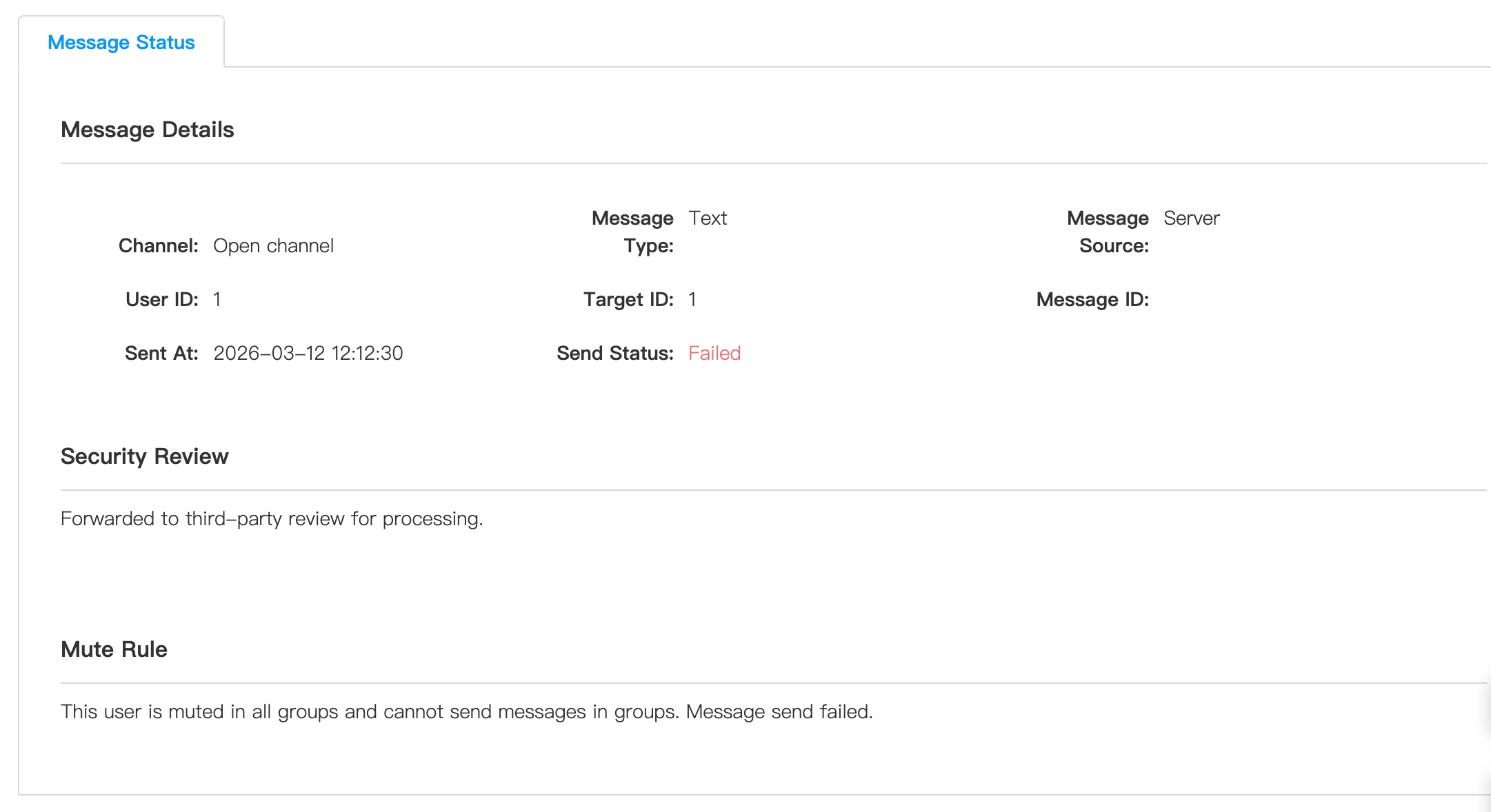
When a user is muted, including group mutes (freeze group, mute group member) and mute a participant in an open channel, the user cannot send messages in the group channel or open channel. At this time, the message ID is empty, and the prompt is as follows:
Message hits profanity words prompt
When a text message contains sensitive information and fails moderation, the message is blocked by the Nexconn server and fails to send. At this time, the message ID is empty, and the prompt is as follows:
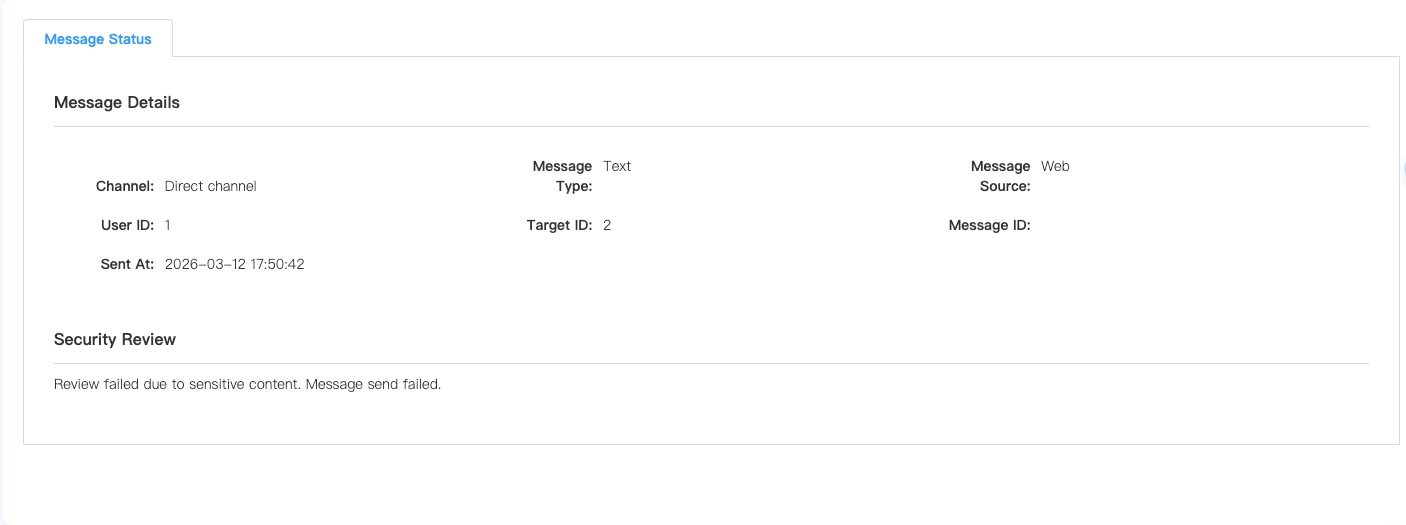
If the message contains replaceable profanity words, the message can be delivered normally, prompting “Contains replaceable profanity words, replacement operation completed.”
If you have any questions about this feature, submit a ticket to contact us.