Overview
By default, Nexconn allows only one Web client and one mobile client to be online simultaneously. If a user logs in on multiple devices of the same platform, they’ll experience a multi-device login kick. For example, logging in with the same account on two or more Web tabs.
Symptoms
When kicked, the Events.SUSPEND listener triggers, returning code 31010, indicating a multi-device login kick.
Solutions
- When the
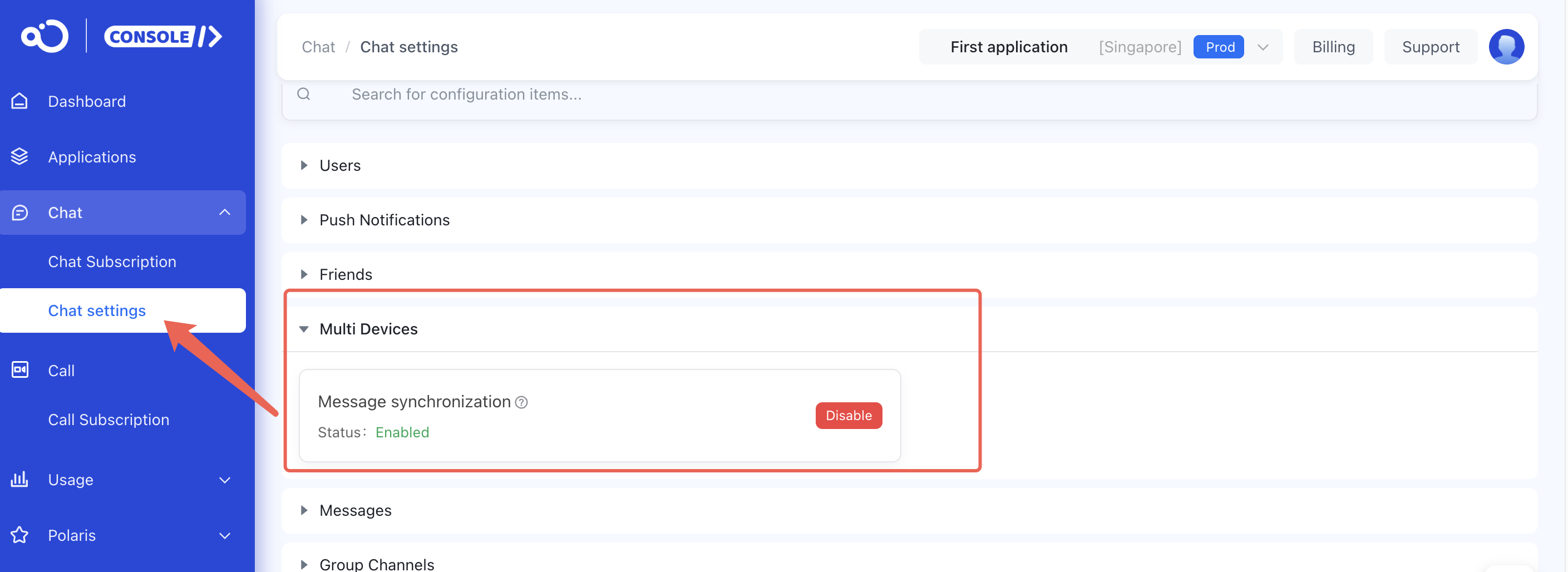
Events.SUSPENDlistener triggers with code31010, show a UI prompt and redirect the user to the login page. Let them decide whether to log in again. Avoid calling theconnectmethod within theEvents.SUSPENDlistener to prevent a dead loop mutual kick. - Web client: Enable multi-device message synchronization. This allows message syncing between Web and mobile clients, and supports multiple Web clients online simultaneously. Upon re-login, all messages sent and received that day will be retrieved.
To enable: Go to Console → Chat settings → Multi Devices Message synchronization. The service takes effect in about 15 minutes.