Welcome to RC! This guide will walk you through purchasing and managing your billing plan, from pre-purchase setup to changing plans and understanding your bill.
1. Before You Begin
Before purchasing a plan, please complete the following two steps.
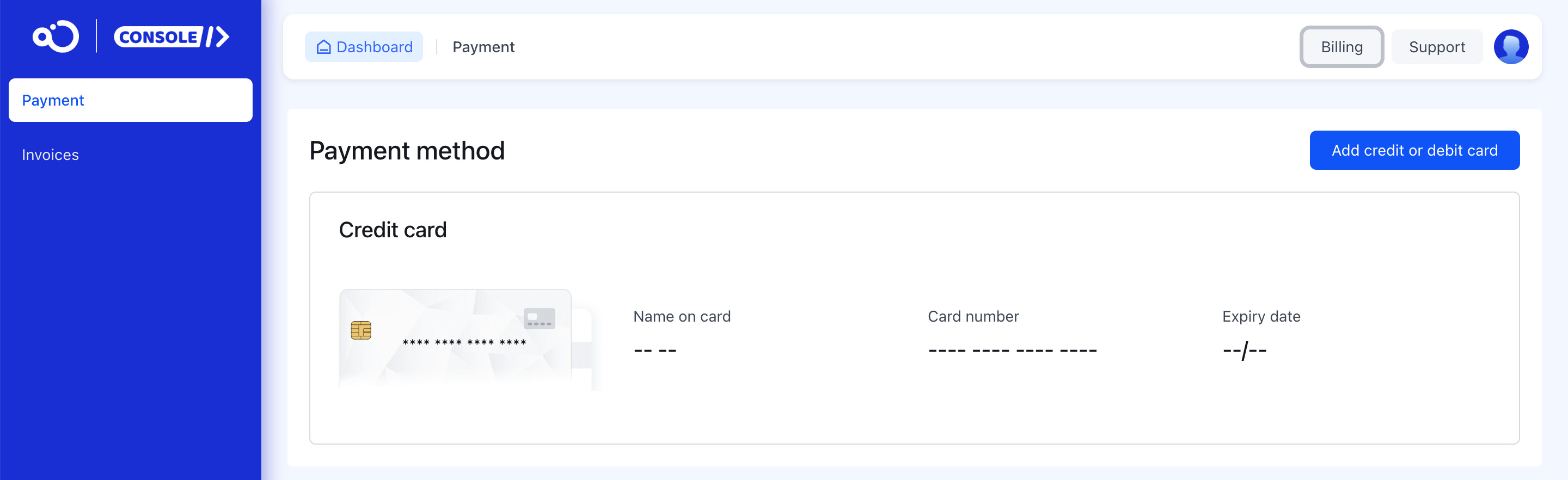
Step 1: Add a Payment Method
You’ll need to link a credit card to purchase a plan and launch your application.
- Where to go: Navigate to the Billing page in your console.
- How to do it: Click Add credit cards and follow the prompts to link your card.
Your Security is Our Priority
RC does not store any of your payment information. All payments are processed through Stripe, a global leader in secure payment processing, to ensure your transaction is safe.
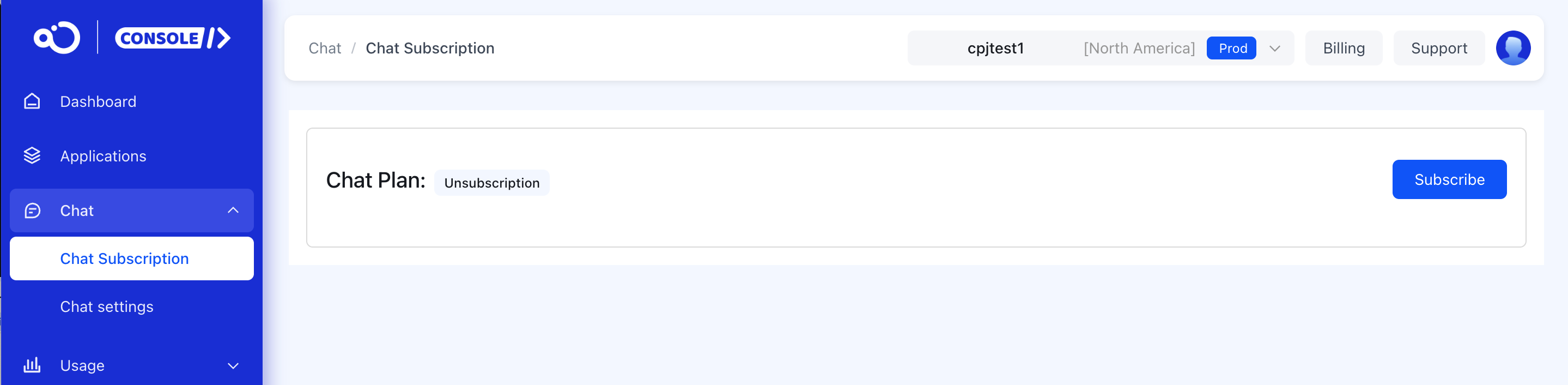
Step 2: Subscribe Chat Plan
You can purchase a plan for your application.
- Where to go: From the application navigation bar, select your app, then go to Configuration > Chat > Chat Subscription.
- How to do it: Click Subscrib and confirm in the pop-up window.
2. Purchasing and Changing Plans
Once the initial setup is complete, you can purchase or change a plan for your application.
Making Your First Purchase
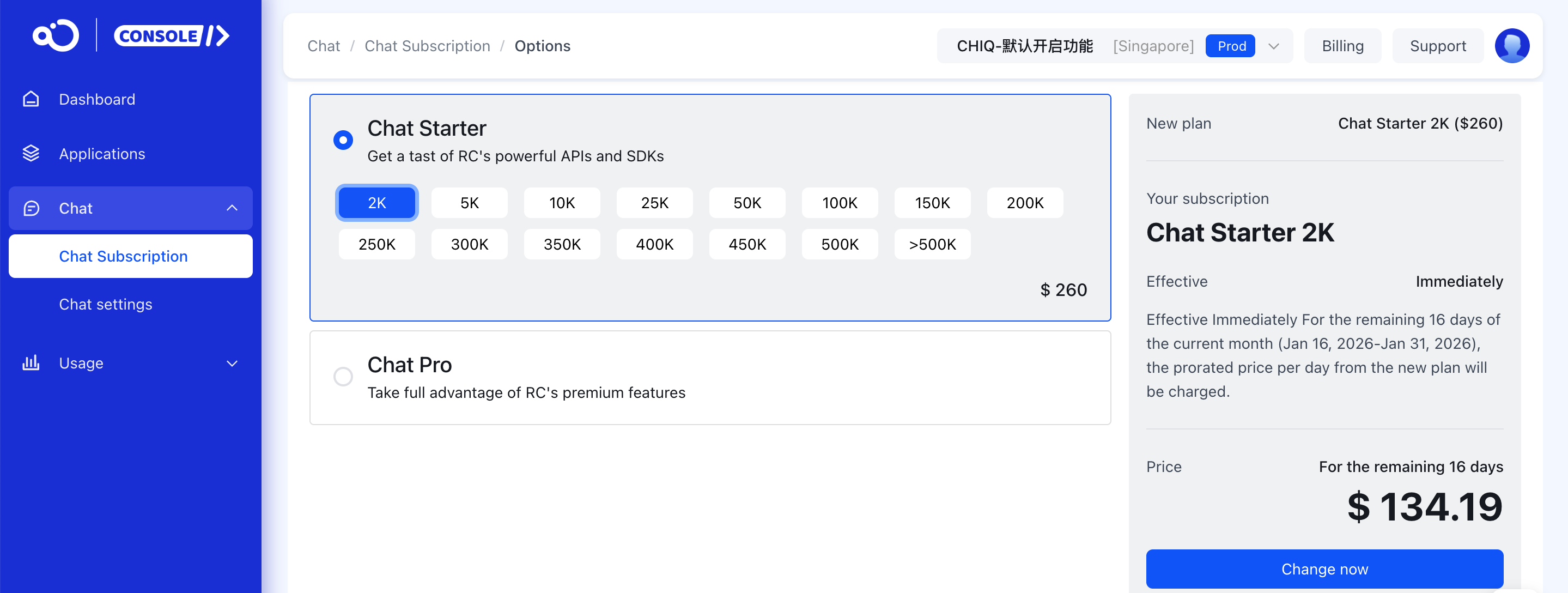
After selecting a plan, the system will calculate your initial charge. This fee is prorated based on the number of days remaining in the current month.
- How it’s calculated:
Monthly Plan Fee × (Remaining Days in Month / Total Days in Month) - How to do it: Click **Charge
** on the confirmation page. Your plan will activate immediately upon successful payment.
Changing an Existing Plan
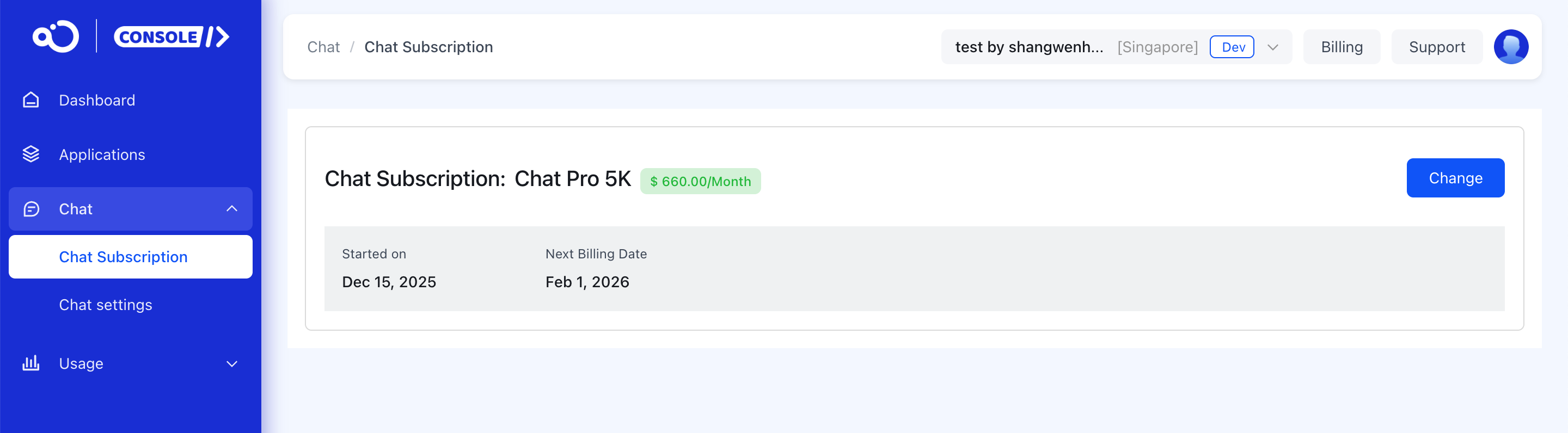
You can change your plan at any time to fit your needs. Click Change on the plan selection page to get started.

Upgrading Your Plan
- Effective Date: Upgrades take effect immediately.
- How it’s calculated: You will be charged a prorated amount for the difference between your new and old plans for the remainder of the month.
- Formula:
(New Plan Fee - Old Plan Fee) × (Remaining Days in Month / Total Days in Month)
- Formula:
Downgrading Your Plan
- Effective Date: Downgrades take effect on the 1st of the following month.
- What to expect: You will remain on your current plan for the rest of the month, and the new, lower rate will apply from the next billing cycle.
3. Billing and Payments
Understanding your bill and our payment policies will help you manage your account effectively.
Bill Types
You may see the following types of charges on your bill:
- Upgrade: A one-time charge generated when you first purchase or upgrade a plan.
- Upfront: A recurring charge for your monthly plan subscription, billed on the 1st of each month.
- Overage: If your usage exceeds your plan’s limits, an overage bill is generated on the 1st of the following month.
- Penalty: A late fee charge resulting from an overdue bill.
Overdue Payments
Please ensure you pay your bills on time to avoid service interruptions.
- Payment Due Date: Payment is due on the day the bill is generated.
- Consequences of Non-payment:
- A bill is considered overdue the day after it is generated.
- 7 days overdue: The Chat service for the corresponding App Key will be suspended.
- 30 days overdue: A penalty fee for the overdue amount will be applied.
- Penalty Calculation:
- The penalty is calculated from the first day the payment is overdue at a rate of 1.5% per month, accrued daily and compounded monthly.
- Restoring Service:
- Once you clear all outstanding bills, a final penalty bill will be generated automatically. After all bills, including any penalties, are paid, you can resume purchasing and using RC services.