The Production environment is the actual commercial environment for operation after the app goes online.
Overview
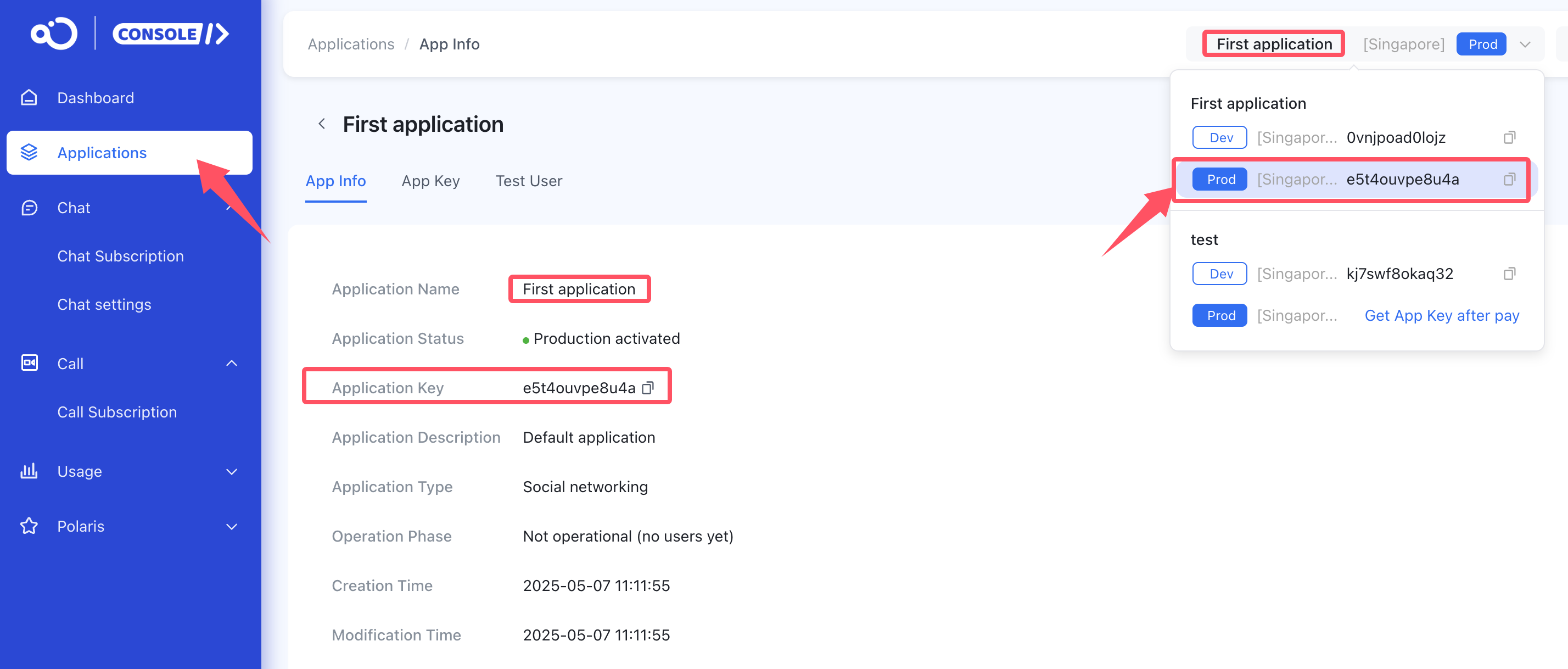
Each Nexconn application provides two environments: Development and Production. Data isolation between the two environments is completely independent, avoiding conflicts between test data and online data. They provide different App Keys.
After creating an application from the Nexconn backend, the default is the development environment. To enable the production environment, you need to purchase a plan to switch.
Notes
-
Each application has a set of App Key and App Secret for the development environment and a set for the production environment. When using them, the App Key and App Secret must match. Do not mix App Keys and App Secrets from different environments.
-
Before releasing your application, you must switch from the Development environment to the Production environment.
-
The Production environment has no user limit.
Service activation is based on the App Key. After successfully going online, you can access and configure the Production environment. When you first enable the Production environment, the service switches for the corresponding App Key are all in their default states. Therefore, you might need to record the services you have already enabled in the Development environment and enable them for the Production environment’s App Key. The effective time for enabling or disabling services is up to 15 minutes.

Related documentation: How to Purchase and Manage RC Plans
If you have any questions about this feature, submit a ticket to contact us.