-
Using pod:
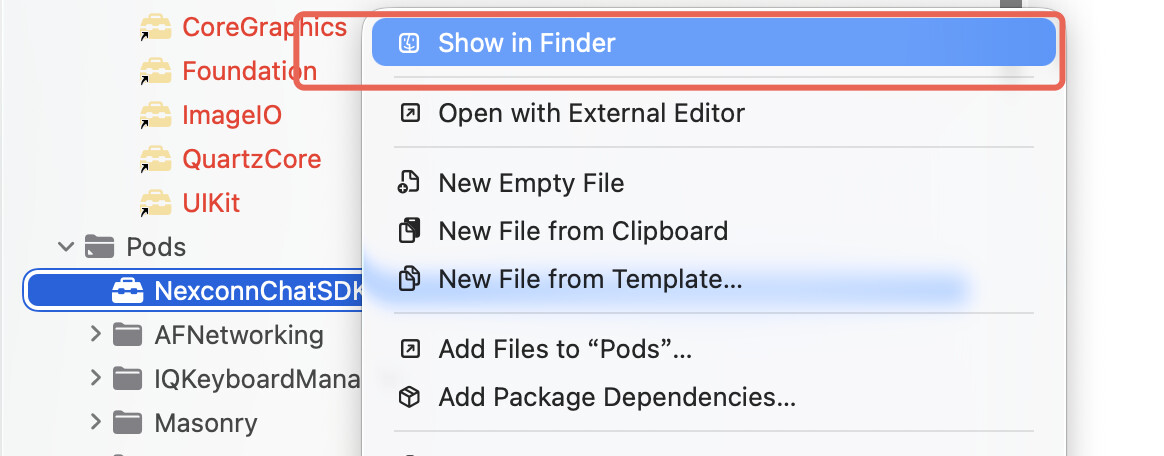
- In the project’s left-hand directory, find the NC XCFramework.
- Right-click and select Show in Finder:
-
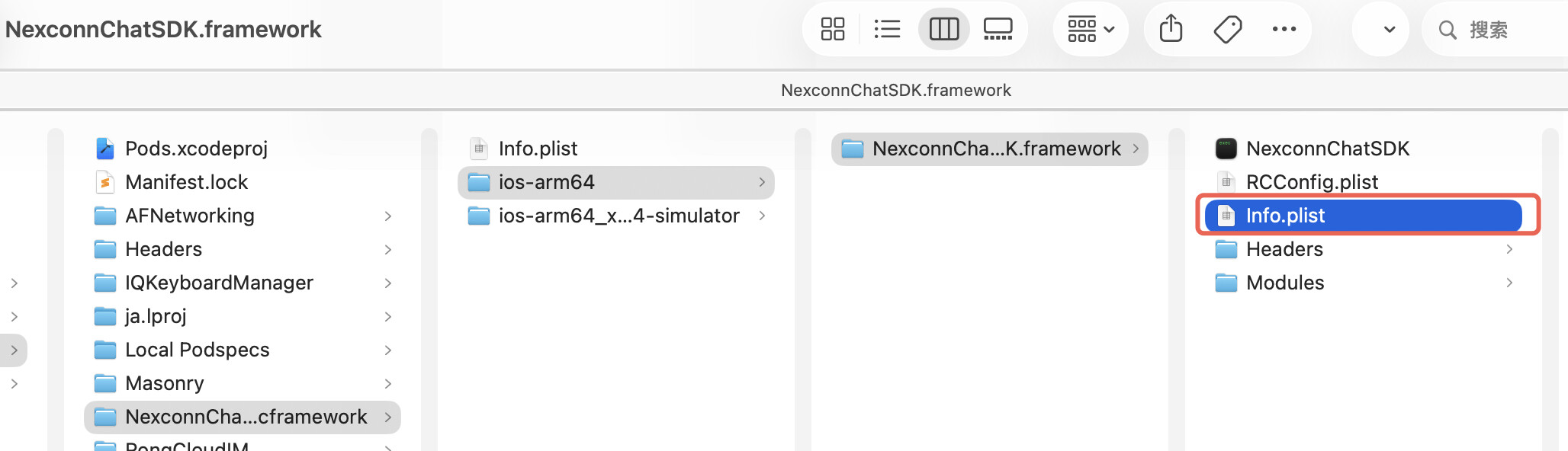
Locate the version:
- Open Finder and navigate to the Info.plist file as shown below.
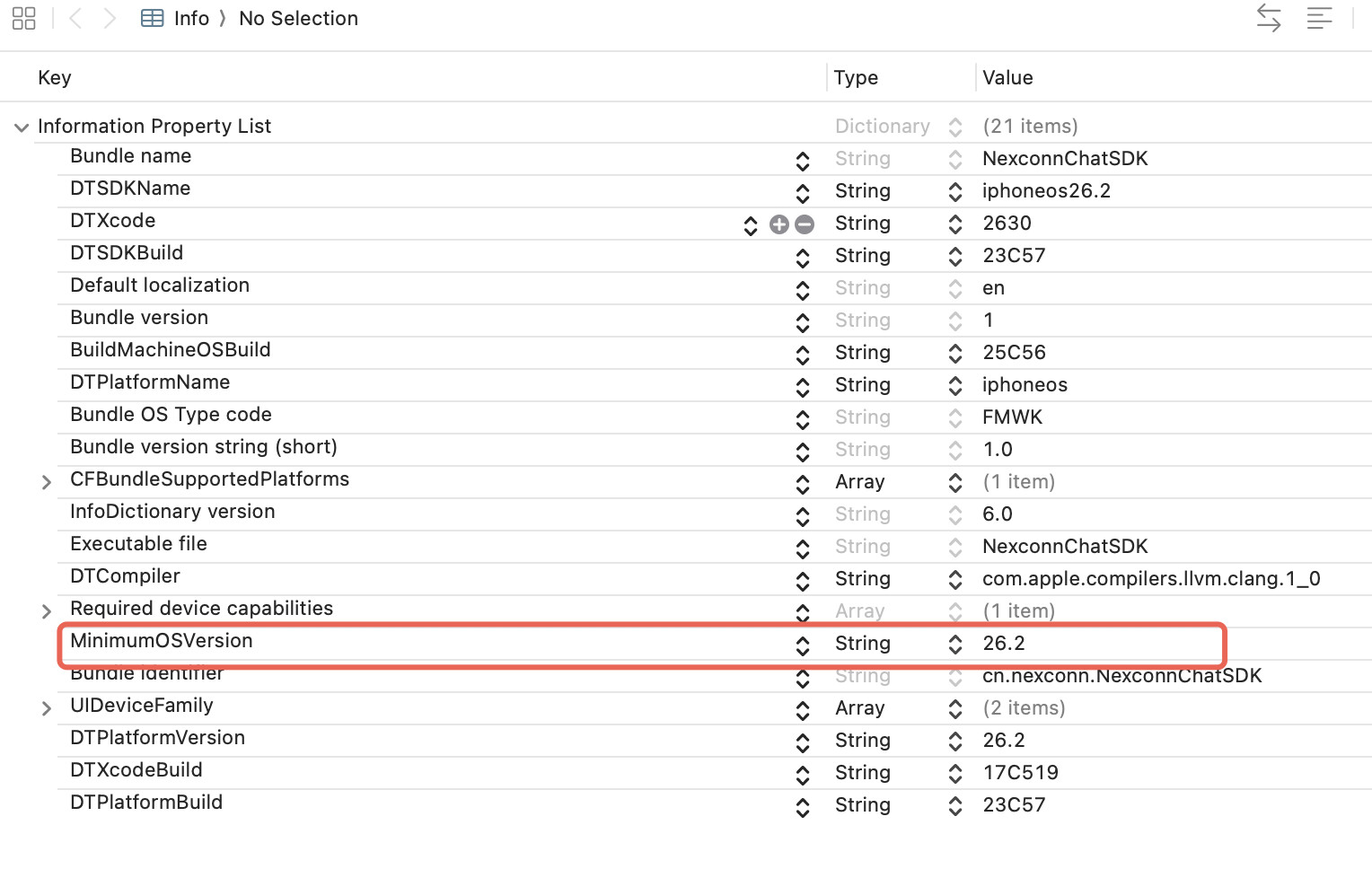
- Check the version number highlighted in red:
- Manual import:
- Find the NC XCFramework in the project, right-click, and select Show in Finder.
- Follow the steps above.